

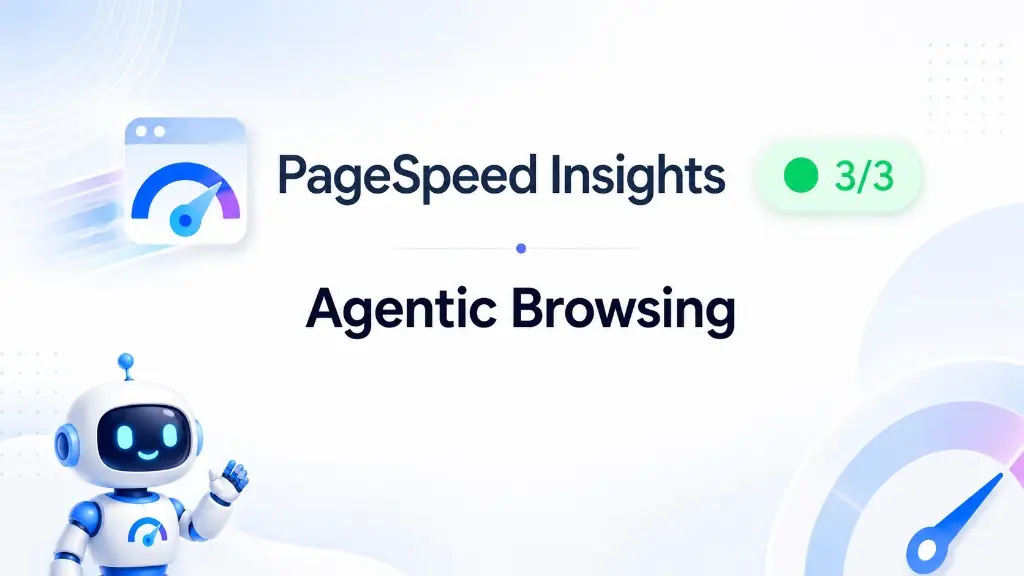
Quick answer: PageSpeed Insights now includes an Agentic Browsing category alongside Performance, Accessibility, Best Practices and SEO. It asks a new question: if an AI agent visited your site, could it understand the page structure, trust the layout, and interact with your buttons and forms without guessing? The score is a simple pass ratio (often 3/3 on a clean site), not another 0–100 number. It is experimental, it is not a confirmed ranking factor, and for most well-built sites the fixes overlap with things you should already be doing: solid accessibility, stable layout, clear HTML.
Last updated: 26 June 2026.
What changed in PageSpeed Insights
If you have run PageSpeed Insights recently, you may have noticed a fifth category: Agentic Browsing.
It arrived with Lighthouse 13.3 (May 2026) and rolled into the public PSI tool shortly after. Google/Chromium document it as an experimental category based on proposed standards, focused on machine interaction rather than human eyeballs or classic crawl-and-index SEO.
That distinction matters. Search asks whether your content should be discovered and ranked. Agentic Browsing asks whether software could operate your site: read the structure, find the right control, complete a task.
A page can rank well and still be awkward for an agent. A page can be agent-friendly and invisible in AI search. They are related, but not the same job.
How the score works (and what it does not do)
Unlike Performance, Agentic Browsing does not produce a weighted 0–100 score. You get a fraction: how many applicable checks passed, such as 3/3.
Important details:
- It does not change your Performance, Accessibility, Best Practices or SEO scores.
- Audits marked Not Applicable are excluded from the denominator. A site with no
llms.txtmight show 2/2 instead of failing for a missing file. - WebMCP audits (an experimental API for registering tools agents can call, like search or add-to-cart) usually show as Not Applicable in PSI because Google’s lab does not run with WebMCP enabled.
So when you see Agentic Browsing in PSI, you are mostly looking at a small, practical subset of checks, not a full AI-readiness certification.
What PSI is actually checking
Google’s Lighthouse agentic browsing documentation groups deterministic audits into a few themes. On a typical business website analysed through PageSpeed Insights, these are the ones that matter today:
1. Accessibility tree quality
AI agents lean heavily on the accessibility tree: a simplified map of roles, names and states for interactive elements. Screen readers use it. So do agents.
Lighthouse pulls a focused subset of existing accessibility audits into this category. The practical question: do your buttons, links and form fields have real labels? Are roles sensible? Can software identify “Get a quote” as a button, not an unlabelled div with a click handler?
This is not new work for good developers. It is the same foundation as WCAG-friendly markup. It is also where bloated page builders often slip: icon-only CTAs, empty links, duplicate IDs, modals that never expose focus properly.
2. Layout stability (CLS)
Agents can interact faster than humans. If your hero image loads late and shoves the enquiry button down the page, a human might be annoyed. An agent might click the wrong thing entirely.
Agentic Browsing surfaces Cumulative Layout Shift here. CLS has been a Core Web Vital for years. The agentic angle is simply another reason to care about layout that does not jump around while content loads.
3. llms.txt (optional)
llms.txt is a proposed plain-text file at your domain root (yoursite.com/llms.txt) that summarises what your business does and points to key pages, written for machines rather than humans.
If you have one, Lighthouse checks basic structure. If you do not, the audit is usually Not Applicable. You are not failing for omission.
Worth knowing about. Not worth rushing into for every local trades site on day one. If you are a larger business with lots of service lines and documentation, it may become more useful as tools adopt it.
4. WebMCP (mostly future-facing)
WebMCP lets sites register structured actions agents can invoke in the browser context. Think annotated forms or registered tools for “book appointment” or “request quote.”
Exciting for SaaS and ecommerce. For most brochure sites and local service businesses, it will show as Not Applicable in PSI for a while. File it under “watch this space,” not “drop everything and implement.”
Why this reinforces how we build at dotwall
We have been saying for years that a fast, accessible, well-structured site is not a nice extra. It is the baseline. Agentic Browsing is another voice saying the same thing, just aimed at software instead of humans.
Here is how our stack maps to what PSI is measuring:
HTML-first Astro builds. Around 9 out of 10 new sites we ship are Astro, not Elementor. Astro outputs mostly static HTML. Less JavaScript means fewer late-render surprises, cleaner DOM, and pages that settle quickly. That helps CLS and gives agents a readable structure without wading through framework noise.
Semantic markup by default. Real <button> and <a> elements. Form labels that match their fields. Headings in order. Alt text on images that matter. We are not bolting accessibility on at the end; it is how the page is built. That is exactly what the accessibility tree audits reward.
Performance and stability as one conversation. We do not treat Core Web Vitals as a separate SEO chore. Speed, stability and clarity are the same brief. When TanRo’s homepage leads with sector stats and a single enquiry path, or A.S Painting splits commercial and domestic above the fold, that is good UX and agent-friendly structure: clear targets, minimal ambiguity.
No plugin roulette. WordPress sites with 30 plugins, cookie banners that reflow the page, lazy-loaded fonts that shift headings, and popups that trap focus are painful for humans and worse for agents. A lightweight build avoids a whole class of failures before you open PSI.
AI visibility is already on our radar. If you want to be recommended in ChatGPT and AI Overviews, read our guide on local AI search visibility. Agentic Browsing is the companion question: if an agent landed on your site, could it actually use it?
What to do this week (sensible order)
- Run PageSpeed Insights on your homepage and one key landing page. Note the Agentic Browsing ratio and which audits failed or warned.
- Fix accessibility tree issues first. Unlabelled buttons, missing form labels, empty links. These help humans, screen readers and agents.
- Tackle layout shift. Reserve space for images, ads, embeds and web fonts. Stop content jumping after load.
- Consider llms.txt only if it makes sense. A short, accurate machine summary of your services and main URLs. Skip it if you would just paste marketing fluff.
- Ignore WebMCP panic. Unless you are building productised interactions at scale, it is not your priority in 2026.
Do not rebuild your entire site because of a fractional experimental score. Do use it as a useful mirror: is your website built like something software could trust?
The bigger picture
Google is not saying rankings will flip tomorrow because an agent cannot click your carousel. They are signalling that websites are increasingly judged as interfaces, not just documents.
That suits businesses who invest once in a proper build: clear structure, fast delivery, accessible markup, stable layout. It punishes sites that have been patched together for years with ever more plugins and popups.
If your PSI report makes you wince, that is usually not an “AI problem.” It is a foundations problem. And foundations are what we have always focused on.
Want a second pair of eyes on your scores, or a site that starts clean instead of chasing audits later? Get in touch or grab a free homepage mock-up. We will show you what a fast, well-structured build looks like on your brand.
Agentic Browsing FAQs
What PageSpeed Insights is actually measuring, and what to fix first.
Is Agentic Browsing a Google ranking factor?
Not today. Google describes the category as experimental. It does not feed into your Performance, Accessibility, Best Practices or SEO scores in Lighthouse. Treat it as a quality signal and a glimpse of where web standards are heading, not a reason to panic.
What score does Agentic Browsing show in PageSpeed Insights?
A pass ratio, not a 0–100 number. In PSI you will often see something like 3/3 or 2/2, depending on which audits apply to your page. WebMCP checks usually show as Not Applicable on PageSpeed Insights because Google's lab environment does not run with WebMCP enabled.
What does Agentic Browsing actually check?
In practice, PageSpeed Insights focuses on three scorable areas for most sites: a well-formed accessibility tree (interactive elements with proper names and roles), layout stability (Cumulative Layout Shift), and optionally llms.txt at your domain root. WebMCP is experimental and rarely applies yet.
Do I need an llms.txt file to pass?
No. If you do not have one, the audit is typically Not Applicable rather than a fail. If you add llms.txt, Lighthouse checks that it follows basic structure: an H1, enough content, and links. It is a proposed standard for summarising your site for AI tools, not a requirement for most businesses yet.
How is this different from AI Overviews and ChatGPT visibility?
Why do Astro sites tend to score well here?
No questions match your search. Try different keywords.